Commercial Sensor Faucet Diagnostics: LED Error Codes, Low Battery, Solenoid & Controller Troubleshooting
When a commercial sensor faucet fails, replacing the sensor first is often the wrong response. A faucet that will not activate can have a depleted battery, blocked filter, damaged connection, failed valve, interrupted water supply or controller problem. This troubleshooting guide separates those systems so facility technicians can diagnose the fault before replacing parts.
Troubleshoot in This Order
1. Power
Confirm battery voltage, transformer output and electrical connections.
2. Sensor
Verify detection and inspect the sensing surface for contamination.
3. Controller
Check LED codes, resets and communication between components.
4. Valve
Listen or test for solenoid/cartridge actuation.
5. Filtration
Inspect strainers before assuming the water-control valve failed.
6. Supply
Confirm stops, pressure and water availability.
What the Faucet Is Telling You
| Symptom | Possible Cause | First Action |
|---|---|---|
| No sensor response | Dead battery / no power / disconnected electronics | Verify power before replacing sensor. |
| Sensor responds but no water | Solenoid, cartridge, blocked strainer or closed supply | Check supply and listen for valve actuation. |
| Low flow | Strainer or outlet restriction | Clean filtration components first. |
| Water runs continuously | Sensor obstruction or valve contamination | Confirm whether detection has ended. |
| Red/diagnostic LED flashing | Often low battery or manufacturer-specific status | Consult exact product code table. |
| Ghost activation | Reflection, orientation or calibration | Inspect sensor direction and recalibrate. |
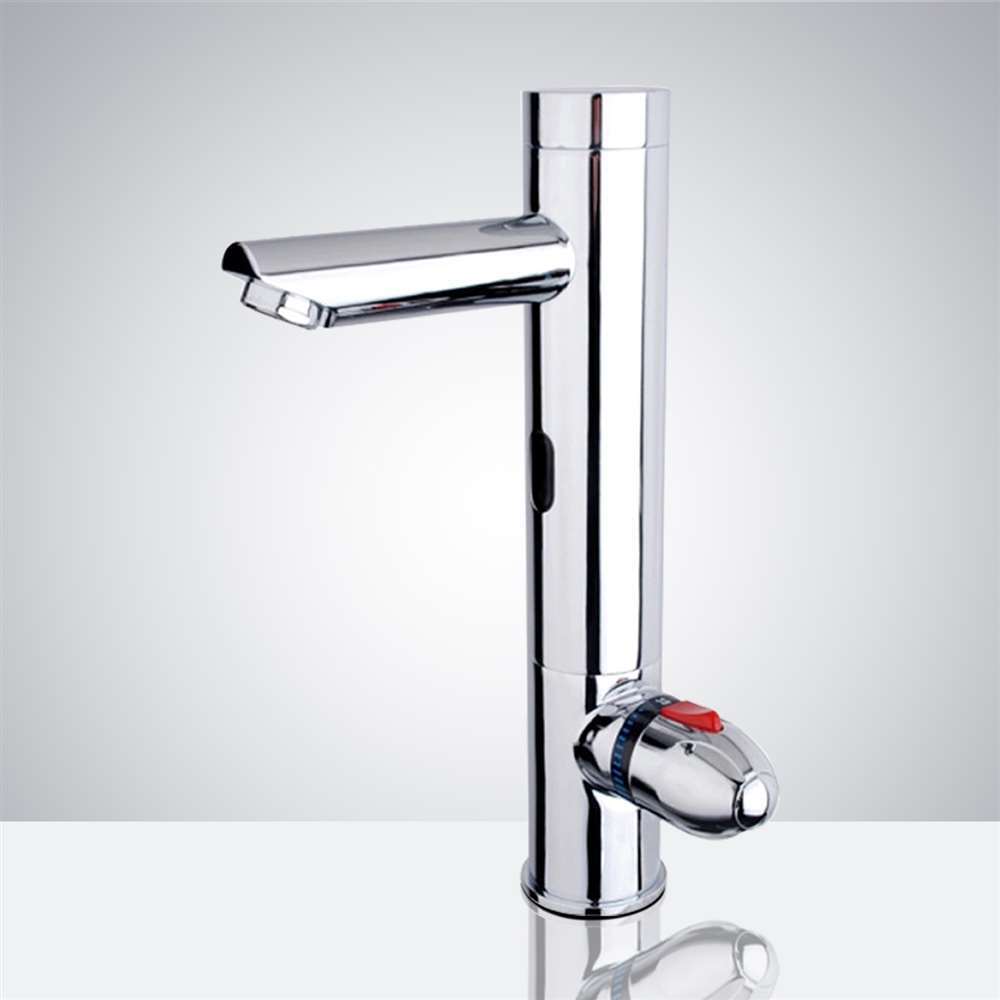
Fontana Milano Chrome Thermostatic Automatic Commercial Sensor Faucet
The Fontana Milano Thermostatic Automatic Commercial Sensor Faucet provides unusually useful troubleshooting information. Fontana documents flashing diagnostic indications for power-up, low battery and solenoid function, together with an accessible strainer protecting the valve from waterborne debris.
The faucet also uses a built-in brass solenoid, adjustable 2–8 inch sensing and a 60-second safety timeout. This allows technicians to separate detection problems from hydraulic valve problems more systematically.
LED status plus accessible filtration and documented solenoid architecture.
Clean the strainer before treating low flow as electronic failure.
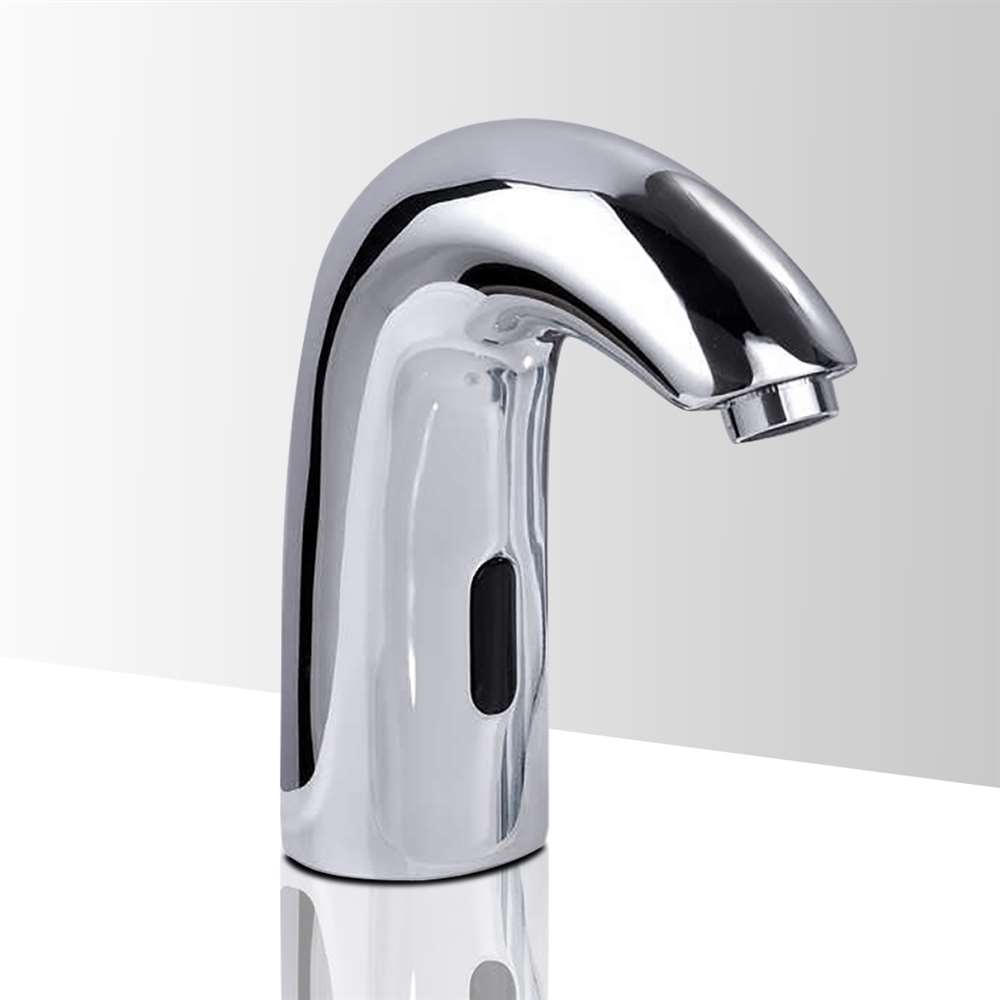
BathSelect Mono Automatic Commercial Hands Free Motion Sensor Faucet
BathSelect’s Mono commercial faucet provides several useful diagnostic layers. Published documentation identifies power-up, low-battery and solenoid indications, while the product specification separately documents a visible low-battery indicator and a magnet-latching valve.
A built-in strainer protects the valve from debris, and BathSelect publishes repair, maintenance and installation documentation for the model.
Visible battery status plus specific valve and filtration documentation.
Battery, sensing and valve faults should be isolated independently.
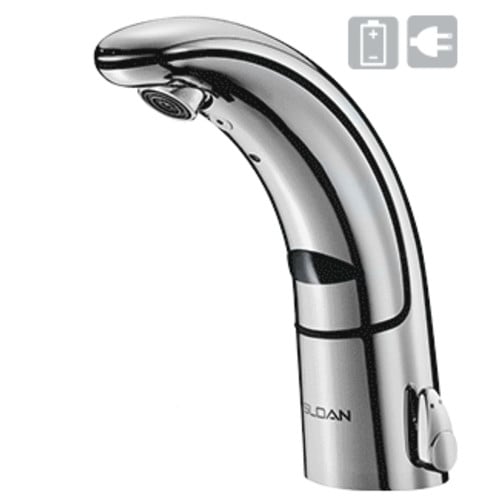
Sloan Optima® EAF-150 Commercial Sensor Faucet
Sloan’s EAF-150 combines automatic-setting dual infrared sensors with an indicator light, self-adapting sensor technology and a dedicated low-battery indicator.
The same specification identifies a magnetic solenoid valve and supply strainer, giving technicians a clear fault path: power indication → sensing → valve actuation → water-path restriction.
Mature commercial architecture with dedicated battery indication.
Check the supply strainer before condemning the magnetic solenoid.
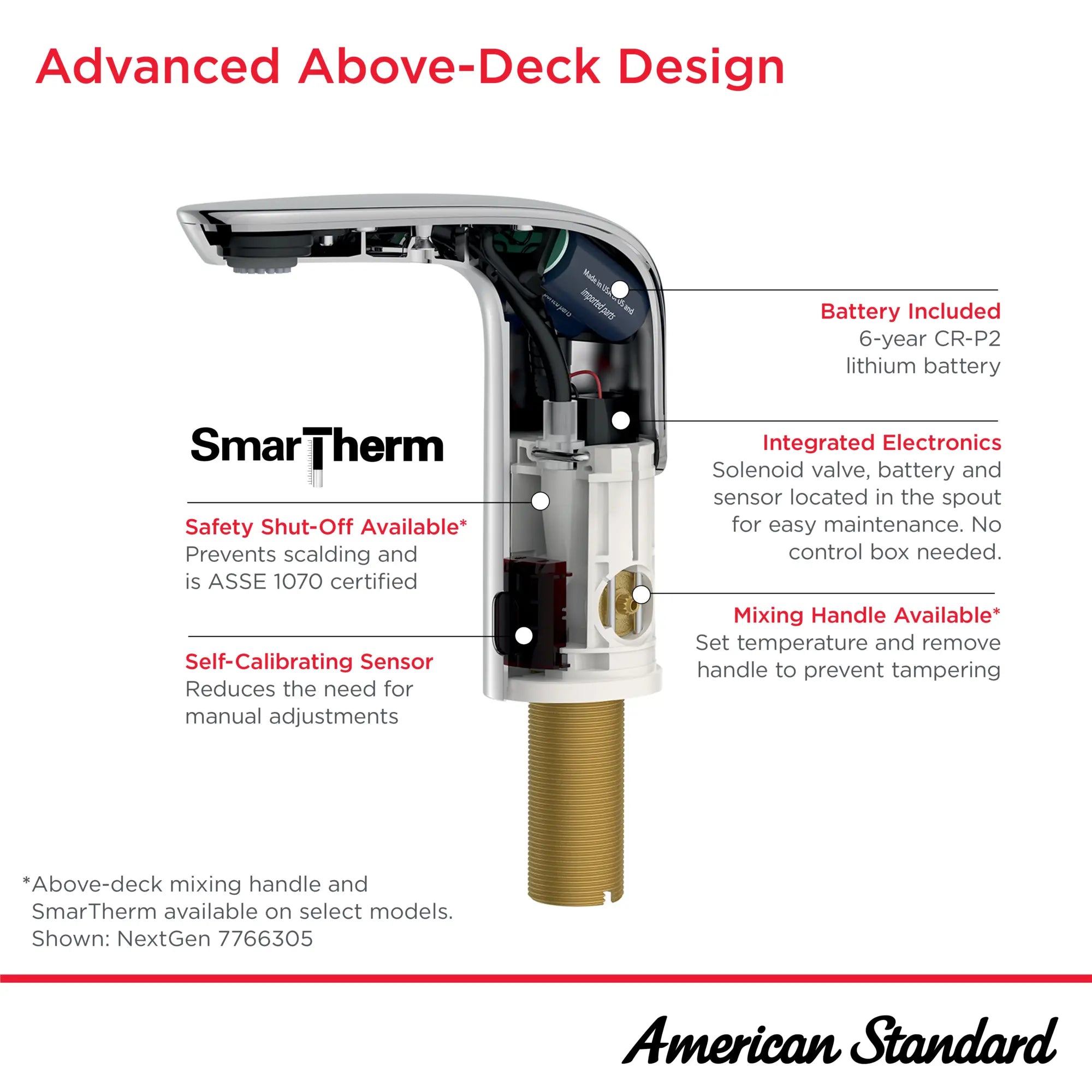
American Standard NextGen® Selectronic® Commercial Touchless Faucet
NextGen Selectronic takes a different diagnostic approach by moving all electronics into the faucet spout. That eliminates the conventional below-deck electronics box and makes electronic access easier during troubleshooting.
American Standard also states that the latest electronics consume 20% less power, extending battery life, while the sensor self-calibrates according to environmental and lighting conditions.
Above-deck electronics make electronic inspection easier.
Self-calibration can reduce unnecessary manual sensor adjustments.

Zurn Camaya Series® ZG6953 Gear-Driven Commercial Sensor Faucet
Zurn’s current Camaya architecture is useful because it changes the troubleshooting tree completely. Instead of a conventional solenoid, ZG6953 uses a motor-driven ceramic cartridge.
Current Zurn service documentation defines LED conditions including rapid continuous blinking for low battery, startup/reset illumination, Bluetooth mode indication and troubleshooting for sensor connections, damaged pins, sensor contamination and ghost activation.
Detailed LED troubleshooting plus app-based configuration.
Do not apply conventional solenoid troubleshooting to a gear-driven valve.
Image policy: product images are displayed uncropped at 500+ px desktop width and remain responsive on mobile. Each image links to its corresponding product page.
Do Not Assume Every Flash Means the Same Thing
LED behavior is manufacturer-specific. One faucet may use a flashing red LED exclusively for low battery, while another uses different patterns for startup, Bluetooth mode, diagnostics or valve status.
Listen Before Replacing the Valve
On a conventional solenoid faucet, activate the sensor and listen for the valve. If the controller recognizes the user and the solenoid clicks but no water flows, investigate the supply, strainer and valve internals.
If the sensor responds but the valve produces no actuation, the technician should then inspect electrical connections, controller output and the solenoid itself.
Zurn’s legacy AquaSense troubleshooting documents this same logic: a clicking valve may need cleaning, while a valve that does not click after proper power and sensor checks may require replacement.
When Should a Component Actually Be Replaced?
| Component | Replace Only After |
|---|---|
| Battery | Voltage/LED status confirms depletion or abnormal power. |
| Sensor | Power, connection, lens condition and calibration are verified. |
| Solenoid | Supply, filtration, controller output and valve cleanliness are checked. |
| Controller | Power source, connectors and sensor input are confirmed. |
| Filter | Clean first; replace only when damaged or non-serviceable. |
Connected Diagnostics Change the Maintenance Model
Traditional maintenance waits for occupants to report a dead faucet. Connected systems can move facilities toward condition-based servicing.
Zurn’s current connected faucet ecosystem can monitor usage, activations and maintenance conditions remotely, while sending low-battery and abnormal-activity alerts. This allows technicians to replace batteries or inspect fixtures before complete failure rather than performing premature blanket battery replacement.
Commercial Diagnostic Platforms Worth Researching
Commercial Sensor Faucet Diagnostics FAQ
What does a flashing red sensor light mean?
Often low battery, but LED meanings vary by manufacturer and model. Consult the exact installation guide.
Why does the sensor detect hands but no water comes out?
Possible causes include a closed supply, clogged filter, failed valve, low power or controller-to-valve connection problem.
Can a clogged filter look like a solenoid failure?
Yes. A blocked inlet strainer can reduce or eliminate flow even when the electronic valve operates normally.
Why does a faucet keep running?
Persistent detection, incorrect calibration, debris inside the valve or a mechanical valve fault can cause continuous flow.
Should technicians reset the controller first?
Only according to the manufacturer’s documented reset procedure after power and connections have been inspected.
Can connected faucets predict maintenance?
Some systems monitor battery condition, fixture usage and abnormal activity to support condition-based servicing.
Professional Troubleshooting Sources
FontanaShowers — Milano Commercial Sensor Faucet
Diagnostic indicators, filtration, sensor adjustment and valve architecture.
BathSelect — Mono Commercial Sensor Faucet
LED, battery, solenoid, filtration and maintenance specifications.
Sloan — Optima EAF-150
Low-battery indication, self-adapting infrared and magnetic solenoid specifications.
Zurn — Camaya ZG6953
Gear-driven valve architecture, Bluetooth programming and service documentation.
American Society of Plumbing Engineers
Professional commercial plumbing engineering and maintenance resources.
Troubleshooting Should Eliminate Causes—Not Guess at Parts
A commercial faucet should be diagnosed as a sequence of systems: power, sensor, controller, valve and water path. The Fontana Milano Thermostatic Automatic Commercial Sensor Faucet and BathSelect Mono provide clear diagnostic indicators for conventional sensor/solenoid architecture; Sloan adds mature low-battery diagnostics; American Standard simplifies electronic access; and Zurn demonstrates how connected monitoring and gear-driven valves are changing the troubleshooting process.
Review Fontana Milano Commercial Sensor Faucet →Independent editorial disclosure: CommercialSensorFaucets.com provides independent engineering-oriented information based on published manufacturer documentation. Disconnect electrical power and isolate water supplies when required, and follow the exact manufacturer’s service procedures before opening or replacing faucet components.
Leave a Reply